Home Alone (Anomaly) Anomaly Identifier Tool
Filter Home Alone (Anomaly) visitors by the evidence you see on Roblox — interactive wiki helper.
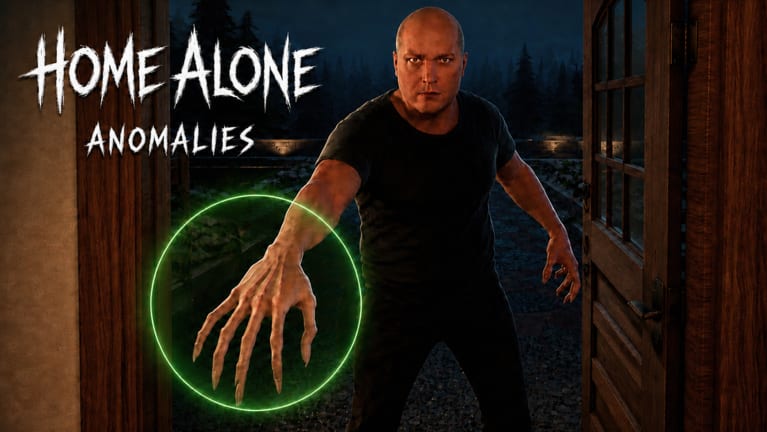
The anomaly identifier tool is an interactive wiki helper for Home Alone (Anomaly) on Roblox. Instead of scrolling the full all anomalies list during a live knock, you select evidence you currently observe — night vision face on glass, beat-up van, oven smoke missing, demonic voice flip — and narrow which visitors match. It complements written guides like identify visitors and camera night vision.
Use on a second monitor or phone while playing. It does not modify Roblox unlike scripts.
How to use this tool
- When a knock starts, identify the visitor story archetype if possible.
- Select every evidence flag you confirm in-game before touching the porch light.
- Read filtered results and cross-check one alternate channel.
- Commit: light ON admit safe, OFF reject anomaly.
Always reject Vampire regardless of filter output — Vampire guide.
Interactive component
The live filter UI loads below. Tap evidence chips you see right now:
Select the evidence channels you are checking. Results update live.
-
Police Man
Anomaly tell Beat-up van outside
Safe sign Police car parked outside
Check vehicle before opening
-
Cat Lady
Anomaly tell White cat by the bed
Safe sign Black cat by the bed
Check parents bedroom first
-
New Neighbour
Anomaly tell Face pressed to screen on night vision
Safe sign Stands normally on camera
Toggle night vision on door cam
-
Classmate
Anomaly tell Voice flips demonic or gravelly
Safe sign Steady normal voice
Listen through the whole line
-
Guy Who Needs To Pee
Anomaly tell Taller under night vision
Safe sign Consistent height both views
Compare NV height
-
Dumped Girl
Anomaly tell Smiling and staring on camera
Safe sign Crying normally
Check door cam expression
-
Streamer
Anomaly tell No phone in hand
Safe sign Giant phone visible
Look at hands at the door
-
Vampire
Anomaly tell Always an anomaly
Safe sign No safe form
Always turn porch light OFF
-
Firefighter
Anomaly tell No smoke from oven
Safe sign Smoke from oven
Check oven before opening
-
Plumber
Anomaly tell Bath faucet dry
Safe sign Bath faucet leaking
Check bathroom faucet
-
City Maintenance
Anomaly tell No water from sink
Safe sign Brown water from sink
Run the kitchen sink
-
Homeless Man
Anomaly tell Invisible on every camera
Safe sign Visible on cameras
Sweep all CCTV feeds
-
Secret Agent
Anomaly tell Turns into tall alien on NV
Safe sign Normal on night vision
Must use night vision
-
Party Girl
Anomaly tell Echoing melodic voice
Safe sign Normal speech
Listen for echo
-
Ballerina
Anomaly tell Dancing on doorstep on cam
Safe sign Standing still
Check door camera motion
-
Next Door Neighbour
Anomaly tell Usually not an anomaly
Safe sign Let her in when verified
Do not reject without proof
-
Dog Owner
Anomaly tell Owner on all fours barking in yard
Safe sign Dog sitting in backyard
Check backyard camera
-
Wifi Kid
Anomaly tell Repeating shutter-glitch audio
Safe sign Clean camera audio
Open cams and listen
-
Lost Girl
Anomaly tell Giant under night vision
Safe sign Same size both views
Compare NV scale
-
Old Man
Anomaly tell Tell less confirmed
Safe sign Pass every channel twice
Full five-channel sweep
-
Sleepy Woman
Anomaly tell Head snaps forward on NV
Safe sign Head stays still
Watch NV toggle closely
-
Drunk Girl
Anomaly tell Tell less confirmed
Safe sign Pass every channel twice
Full five-channel sweep
-
Obby Player
Anomaly tell Smashing mum car on cam
Safe sign Normal car camera view
Switch to mum car camera
-
Gym Bro
Anomaly tell Extremely high-pitched voice
Safe sign Deep normal voice
Listen before opening
-
Goblin Stalker
Anomaly tell House jumpscare only
Safe sign Cannot harm you
Ignore and return to chores
Evidence categories the tool tracks
House objects: oven smoke, bath leak, brown sink, backyard dog.
CCTV / night vision: invisibility, giant scale, alien NV, face on glass, head snap, dancing, car smash, staring smile, owner crawling.
Voice / audio: demonic flip, echo melody, high pitch, shutter glitch.
Outside: police car vs van, giant phone missing.
Special: Vampire always anomaly; Goblin Stalker not a door knock.
When the tool helps most
- Mid-night fatigue after 4 AM knock clusters.
- Old Man / Drunk Girl ambiguity — filter then verify all channels.
- Learning phase before memorizing all anomalies.
- Mobile players without second-screen notes.
When to still read guides
The tool filters; it does not teach rotation timing. Study how to use CCTV, house checks, and full night walkthrough for muscle memory.
Fair play
Browser-based reference only — allowed by Roblox ToS unlike executors. Pair with protect Sanity rules.
Example filter scenarios
Scenario A — Police knock: Select outside channel → beat-up van vs police car. Filter narrows to Police Man outcome; confirm vehicle on exterior cam before porch OFF.
Scenario B — Human at door, 4 AM: Select night vision face on glass + no job object issues. Compare New Neighbour safe vs anomaly variants; cross-check camera night vision page.
Scenario C — Kitchen story, no smoke: Select missing oven smoke flag. Strong Firefighter anomaly bias — reject unless other channels disagree.
Scenario D — Mid-sentence voice change: Select demonic voice flip. Likely Classmate anomaly — pair with cam if time allows (voice outside).
Mobile and second-screen setup
Portrait phone beside tablet running Roblox works well: tap evidence chips with thumb while listening to knock dialogue. Desktop players pin the tool on a second monitor next to the laptop CCTV window. Neither setup violates Roblox rules unlike scripts.
Tool limits to remember
The identifier filters possibilities — it does not hear knocks for you. Goblin Stalker is not a door visitor. Vampire always rejects regardless of filter output. Next Door Neighbour needs cam proof before OFF. When filter shows multiple matches, run one more physical channel from identify visitors before porch light commit.
Related pages
Closing tip
The filter narrows visitors but never overrides Vampire always-reject or Goblin ignore rules. Confirm one live channel after using the tool.
Frequently Asked Questions
Quick answers for surviving the night in Home Alone (Anomaly).
What is the Home Alone anomaly identifier?
A wiki interactive tool that filters visitors based on evidence you select from in-game observations.
Does the identifier work inside Roblox?
No. It runs on this wiki in your browser as a reference while you play.
Should I trust the tool over CCTV?
Use it to narrow options, then confirm in-game before porch light decisions.
Does it include Vampire?
Yes — Vampire is always treated as anomaly regardless of other filters.
Is this tool the same as scripts?
No. Scripts inject cheats; this tool is external reference only.